Regex – Cheat Sheet – Basic – Anchors
A regex cheat sheet for the two basic anchors, ^ and $, with find-and-replace examples in Notepad++ that add text to the start or end of every line.
 Eduard Hoffman · 2 min read
All the examples below have been tested in Notepad++. Notepad++ can be found here. These examples can also work in other platforms with some minor syntax changes to them.
Anchors
Types Of Anchors
^denotes the start of a string or line$denotes the end of a string or line
Use case for ^
Let’s say we have the list below and we want to add the letter G to the start of all the strings below.
aa
ab
ac
ad
ae
af
Press Ctrl + H to bring up the replace window in Notepad++ or your set shortcut key for it. In order for this to work you have to set the following:
- Ensure that the text cursor is at the start of the list or that all the text is selected (by using Ctrl + A).
^in the Find what box.Gin the Replace with box.- Ensure that the Regular expression radio button is selected.
- Click on the Replace All button.
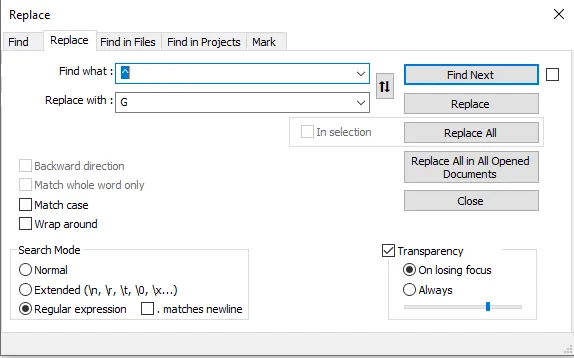
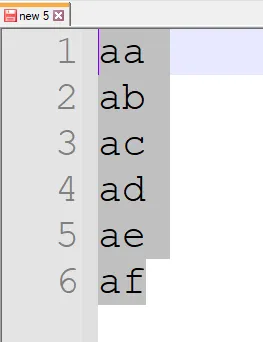 Before Regex Applied
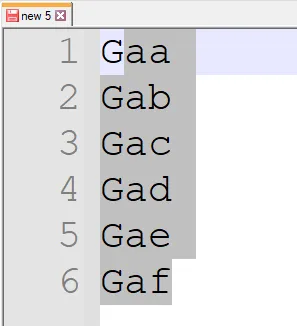 After Regex Applied
Use case for $
Let’s say we have the same list but instead of adding G to the start we want to add it to the end.
aa
ab
ac
ad
ae
af
Press Ctrl + H to bring up the replace window in Notepad++ or your set shortcut key for it. In order for this to work you have to set the following:
- Ensure that the text cursor is at the start of the list or that all the text is selected (by using Ctrl + A).
$in the Find what box.Gin the Replace with box.- Ensure that the Regular expression radio button is selected.
- Click on the Replace All button.
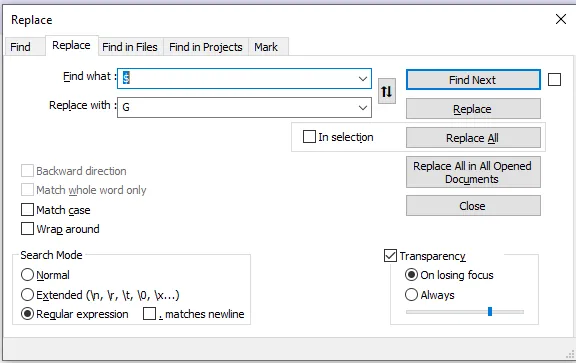
Before Regex Applied
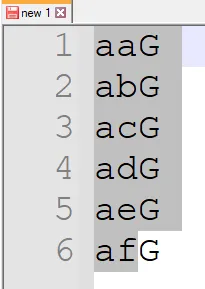 After Regex Applied